
In today’s fast-moving digital world, nobody wants to stand in long queues at a bank branch just to check an account balance or transfer money. People expect banking services to be available anytime and anywhere. That’s exactly where bob internet banking comes into the picture.
Whether you’re paying utility bills, transferring funds, checking account statements, or managing investments, Bank of Baroda’s online banking platform offers a convenient way to handle financial tasks from the comfort of your home.
If you’re new to online banking or simply want to understand how bob internet banking works, this comprehensive guide covers everything you need to know—from registration and login to features, security measures, and benefits.
What is BOB Internet Banking?
BOB Internet Banking is the online banking service offered by Bank of Baroda. It allows customers to access and manage their bank accounts through a secure internet connection without visiting a physical branch.
Using bob internet banking, customers can perform various banking transactions 24/7 through a computer, laptop, tablet, or smartphone browser.
The platform is designed to simplify banking by offering digital access to account management, fund transfers, bill payments, and many other financial services.
Why Online Banking Has Become Essential
The way people manage money has changed dramatically over the last decade. Traditional banking methods are gradually being replaced by digital banking solutions.
Some reasons why customers prefer internet banking include:
- Instant account access
- Faster transactions
- Reduced paperwork
- Time-saving convenience
- Better financial tracking
- Secure online payments
- Round-the-clock banking availability
As a result, bob internet banking has become one of the most important services offered by Bank of Baroda.
Key Features of BOB Internet Banking
One of the biggest reasons behind the popularity of bob internet banking is its wide range of features.
Account Management
Users can easily:
- Check account balance
- View transaction history
- Download account statements
- Monitor deposits and withdrawals
- Track banking activities in real time
This eliminates the need to visit a branch for routine account inquiries.
Fund Transfer Services
The platform supports multiple transfer methods:
- NEFT transfers
- RTGS transfers
- IMPS transfers
- Internal Bank of Baroda transfers
- Beneficiary account transfers
Money can be transferred quickly and securely to family members, businesses, or other bank accounts.
Bill Payments
With bob internet banking, customers can pay:
- Electricity bills
- Water bills
- Gas bills
- Mobile recharges
- Broadband bills
- Credit card payments
- Insurance premiums
Everything can be managed from a single dashboard.
Fixed Deposit Services
Users can:
- Open fixed deposits online
- Renew deposits
- Check maturity dates
- Monitor interest earnings
This feature makes investment management much simpler.
Loan Account Access
Customers with loans can:
- View outstanding balances
- Check EMI schedules
- Download loan statements
- Monitor repayment status
Tax Payments
Internet banking also supports:
- Direct tax payments
- GST payments
- Government service payments
This is especially useful for business owners and professionals.
Online Requests
Users can submit requests for:
- Cheque book issuance
- Stop payment instructions
- Address updates
- Profile updates
- Account service requests
How to Register for BOB Internet Banking
Getting started with bob internet banking is straightforward.
Step 1: Visit the Official Banking Portal
Customers need to access the Bank of Baroda internet banking platform.
Step 2: Choose New User Registration
Select the registration option available on the login page.
Step 3: Enter Account Information
Provide:
- Account number
- Registered mobile number
- Debit card details (if required)
Step 4: Verify Identity
An OTP verification process helps confirm ownership of the account.
Step 5: Create Login Credentials
Users can create:
- User ID
- Login password
- Transaction password
Step 6: Complete Registration
Once verification is successful, internet banking access becomes active.
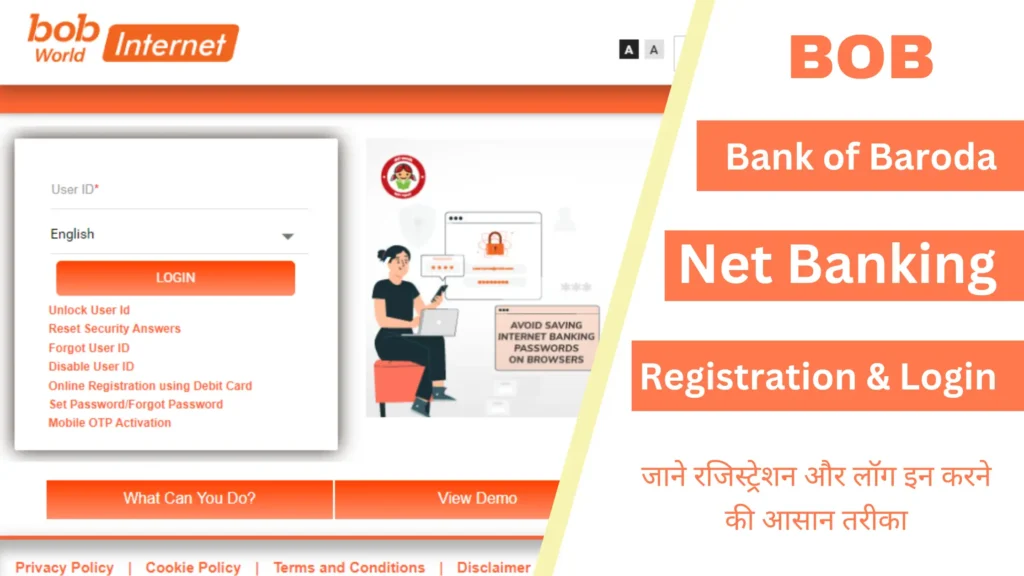
BOB Internet Banking Login Process
Logging into bob internet banking takes only a few seconds.
Login Steps
- Open the online banking portal.
- Enter User ID.
- Enter password.
- Complete security verification.
- Click login.
After authentication, customers gain access to their banking dashboard.
Security Features of BOB Internet Banking
Security remains one of the biggest concerns for online banking users. Fortunately, bob internet banking incorporates several advanced security layers.
Two-Factor Authentication
Users must verify transactions using OTPs sent to registered mobile numbers.
Encrypted Transactions
Data transmitted between the user and bank servers is encrypted.
Secure Login System
Password-protected access prevents unauthorized entry.
Session Timeout
Inactive sessions automatically log out users.
Transaction Password Protection
Sensitive operations require additional authentication.
Fraud Monitoring
Automated systems continuously monitor suspicious activity.
These measures help ensure a safe digital banking experience.
Benefits of Using BOB Internet Banking
There are numerous advantages to adopting bob internet banking.
Convenience
Bank anytime from anywhere without visiting a branch.
Time Savings
Most transactions can be completed within minutes.
Cost Efficiency
Online transactions often reduce operational costs and paperwork.
Better Financial Control
Real-time account monitoring helps users manage finances more effectively.
Faster Payments
Instant fund transfers improve transaction speed.
24/7 Availability
Unlike physical branches, online banking never closes.
Environmentally Friendly
Digital banking reduces paper usage significantly.
Services Available Through BOB Internet Banking
The platform offers a broad range of services beyond basic banking.
Personal Banking Services
- Savings account management
- Current account management
- Deposit management
- Fund transfers
- Bill payments
Business Banking Services
- Payroll processing
- Vendor payments
- GST payments
- Bulk transactions
- Cash flow management
Investment Services
- Fixed deposits
- Tax-saving deposits
- Investment tracking
Utility Services
- Recharge services
- Utility bill settlements
- Insurance payments
Common Transactions Performed Through BOB Internet Banking
Customers frequently use bob internet banking for the following activities:
| Transaction Type | Purpose |
|---|---|
| Balance Inquiry | Check available funds |
| Mini Statement | View recent transactions |
| NEFT Transfer | Transfer funds nationwide |
| RTGS Transfer | Large-value transfers |
| IMPS Transfer | Instant money transfer |
| Bill Payment | Utility and service payments |
| Deposit Management | Open and manage FDs |
| Tax Payment | Government-related payments |
Tips for Safe Internet Banking
Even though bob internet banking is secure, users should follow best practices.
Use Strong Passwords
Create passwords with:
- Uppercase letters
- Lowercase letters
- Numbers
- Special characters
Never Share OTPs
Banks never ask for OTPs through phone calls or messages.
Avoid Public Wi-Fi
Sensitive transactions should only be performed on secure networks.
Update Passwords Regularly
Frequent password changes improve account security.
Monitor Account Activity
Review transaction history regularly.
Enable Mobile Alerts
SMS notifications help detect unauthorized transactions quickly.
Difference Between Internet Banking and Mobile Banking
Many people confuse internet banking with mobile banking.
Internet Banking
- Accessed through web browsers
- Works on desktops and laptops
- Full-featured banking dashboard
Mobile Banking
- Accessed through smartphone applications
- Designed for mobile devices
- Faster on-the-go banking
Both services complement each other and provide digital convenience.
Who Should Use BOB Internet Banking?
Almost every Bank of Baroda customer can benefit from internet banking.
Ideal users include:
- Salaried employees
- Students
- Business owners
- Freelancers
- Senior citizens
- Investors
- Frequent travelers
The platform is especially useful for individuals who prefer managing finances digitally.
Challenges Users May Face
Like any online platform, bob internet banking may occasionally present challenges.
Forgotten Passwords
Users may need password reset procedures.
Internet Connectivity Issues
Banking services require stable internet access.
Browser Compatibility Problems
Outdated browsers may affect functionality.
Security Awareness
Users must remain cautious about phishing scams and fraudulent messages.
Fortunately, most issues can be resolved through customer support or self-service options.
How BOB Internet Banking Supports Digital India
Digital banking plays a major role in financial inclusion and technological advancement.
By offering online services, bob internet banking contributes to:
- Cashless transactions
- Digital payments adoption
- Financial accessibility
- Improved banking efficiency
- Reduced dependence on physical branches
This aligns with broader efforts to modernize banking infrastructure and encourage digital financial participation.
Future of BOB Internet Banking
The future of online banking looks promising.
Customers can expect continued improvements in:
- User experience
- Artificial intelligence integration
- Enhanced cybersecurity
- Faster transaction processing
- Personalized financial insights
- Advanced digital payment solutions
As technology evolves, bob internet banking is likely to become even more efficient and customer-friendly.
Conclusion
Modern banking is all about convenience, speed, and security—and bob internet banking delivers on all three. From checking balances and paying bills to transferring funds and managing investments, the platform gives customers complete control over their finances without stepping into a branch.
What makes bob internet banking particularly valuable is its combination of user-friendly functionality, robust security features, and round-the-clock accessibility. Whether you’re a student managing expenses, a professional handling monthly payments, or a business owner overseeing transactions, online banking simplifies everyday financial tasks.